
Complete Guide to MEPCO Bill Complaint Registration Online and Offline
If you are facing overbilling, a line fault, voltage problems, or meter errors, then this guide is for you. It will help you understand how to register a complaint and track it easily. You will learn step by step how to submit it online or in person.
In addition, you will find useful tips to check complaint status and ensure your problems are properly resolved. Our goal is to provide helpful information for electricity consumers and make the complaint process simple and fast. All your electricity-related issues can be resolved from the comfort of your home. Visit here to check your Mepco bill online.
How to Register MEPCO Bill Complaint Online
For any electricity-related issues, like bill inquiries or service problems, you can visit the MEPCO Official website and easily file a complaint. Keep your 14-digit reference number or consumer ID ready for quick support. Follow these simple steps:
- Visit the MEPCO official portal (CCMS)
- Choose the complaint cell option.
- Select the option to register your complaint.
- Enter the reference number and information details.
- Choose the category and type of issue details from the given options.
- Submit application.

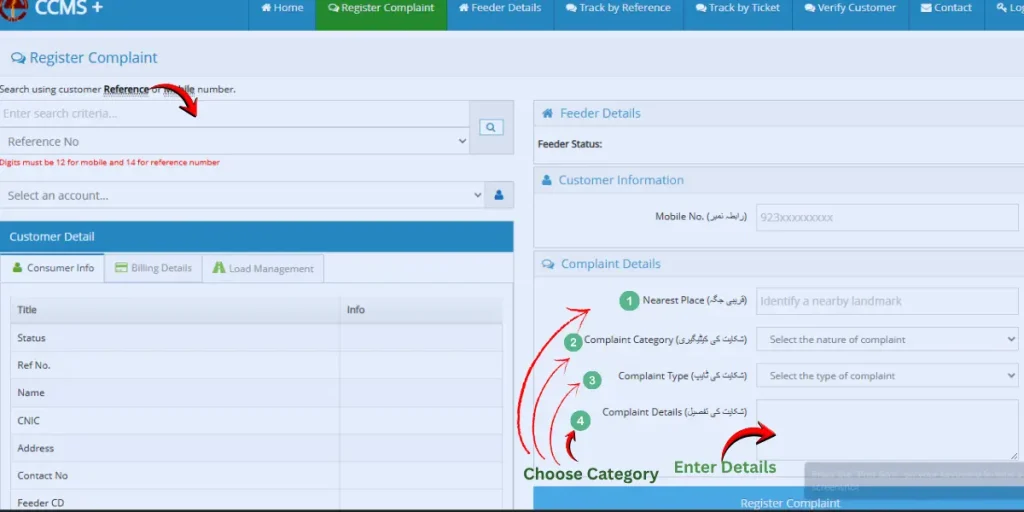
After submission, you will receive a confirmation or tracking number to check the status. It lets you track whether it is resolved, in progress, or still pending.
How to Register MEPCO Complaint Offline
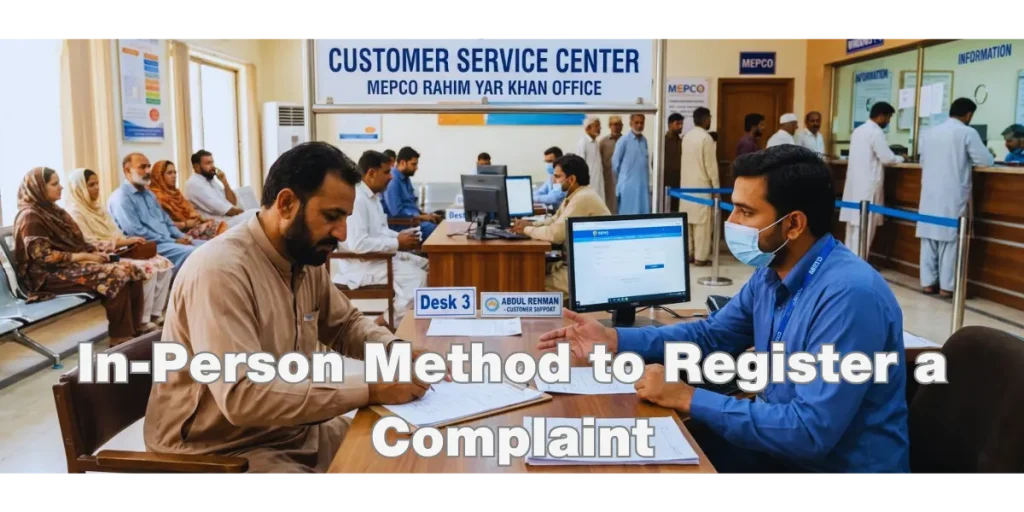
If you cannot submit online, you can also register it manually
👉 Steps:
- Visit the nearest MEPCO subdivision or customer service office.
- Take your 14-digit number or consumer ID and CINC.
- Get a form and have the staff fill it out, clearly stating the issue.
- Submit the form or written application to the staff.
- Get a tracking code to track your complaint.
Tip: Use the online method because it is fast and easy, while the offline method takes more time.
How to Track Your MEPCO Complaint
After registering, use your reference/tracking number to check the status of your complaint. There are three options to track:
1. Online Tracking
- Visit the MEPCO portal.
- Choose the complaint cell.
- Open Track option.
- Enter your reference/tracking number.
- Click the submit button.
- View status (Pending / In Progress / Resolved).
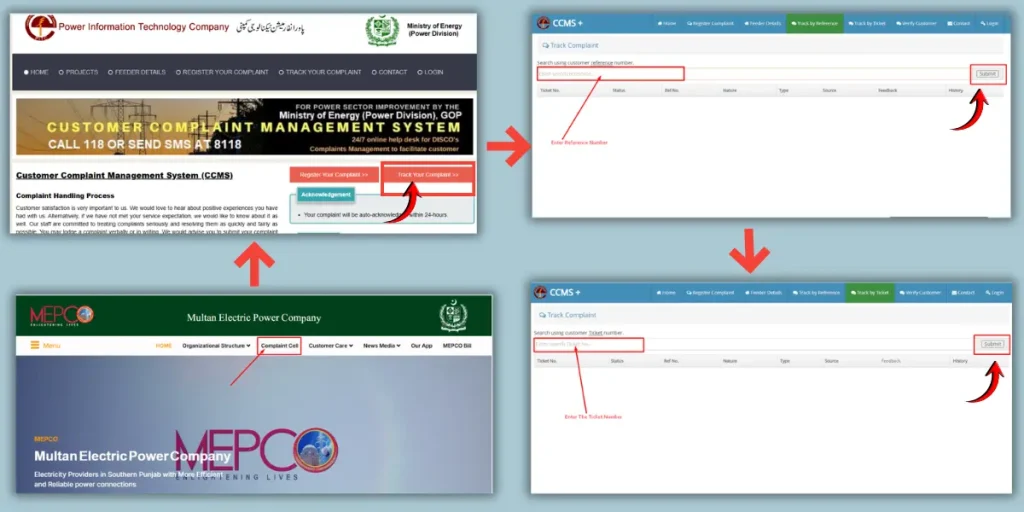
This saves time and helps you stay updated without visiting in person.
2. Helpline Tracking

- Call 118 or send sms on 8118
- Provide your reference number
- Get the complaint status from the operator
3. Office Visit
- Go to the nearest subdivision office
- Provide the complaint number
- Staff will check and update you on the status

Understanding Common MEPCO Billing Issues
Electricity bills often increase due to technical faults or calculation errors rather than actual consumption. Knowing the common MEPCO billing issues helps consumers understand why their bills are high and how to take corrective action.
🔹 Wrong Meter Reading Entries: Incorrect readings can increase your bill units.
🔹 Faulty Electricity Meter: Damaged meters may send wrong data.
🔹Incorrect Tariff Slab: Billing errors also occur when an incorrect tariff slab is applied.
🔹Estimated Billing: The bill was generated without actual reading.
🔹 Seasonal Usage: AC/heater use can increase the bill suddenly.
🔹Billing Delay or Adjustment Errors: Previous dues added to the current bill.
🔹Category Information: The bill may be generated using incorrect rates.
Quick Tips for Fast Complaint Resolution
Follow these tips to resolve your problems quickly.
- Always keep your 14-digit Reference / Consumer ID ready
- Use the online complaint system for faster response
- For emergencies, call the helpline immediately
- Always save your tracking number
FAQs
Final Thoughts
MEPCO issues can be handled easily if you follow the correct steps. Keep your 14-digit reference number or use official helplines and track your complaint online or by phone. When you understand common bill problems, you get help to resolve issues faster and make sure there is a smoother electricity service.


