

How the FESCO Billing System Works in 2026: Complete Guide
FESCO supplies electricity to businesses house and industries across Faisalabad and the near areas regions. Many people remarkable why their electricity bills can sometimes be high than expected and how the charges are determined
.By discovering how the FESCO billing system works, you can better understand your charges, prevent errors and use electricity more carefully.
Overview of the Billing System
Understand the FESCO Billing System
The is a process that records electricity use, calculates your charges and sends bills to customers. It uses meter billing, readings software and data management to make sure bills are accurate. The system has four main parts:
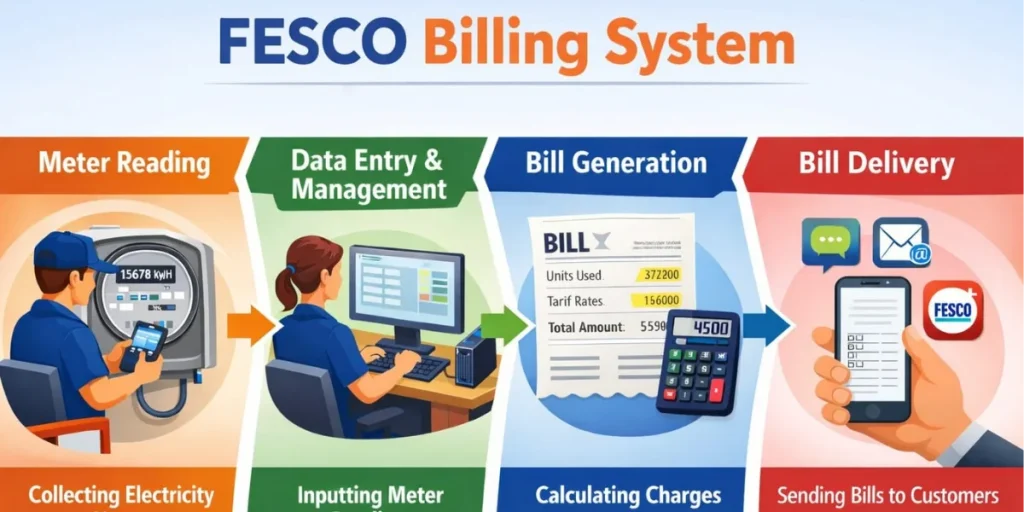
- Meter Reading: collecting electricity usage data from homes, shops or industries.
- Data Entry and Management: accurately inputting meter readings into the system
- Bill Generation: calculating charges based on units consumed and tariffs.
- Delivery: sending bills via paper, SMS, email or the FESCO mobile app.
Why Understanding the Billing System Matters
Knowing how the billing system works allows you to:
- Verify that your bill is accurate
- Avoid overcharges
- Plan electricity usage to reduce monthly costs
Meter Reading: The First Step in Billing
Manual Meter Reading Explained
FESCO staff visit consumer premises to record electricity usage using traditional meters. These readings are usually done monthly and form the basis of your bill.
Automated and Smart Meter Reading
FESCO has also introduced smart meters in selected areas which automatically record your electricity usage and send it to their system making billing faster and more accurate.
How Accurate Readings Affect Your Bill
Accurate readings help avoid discrepancies in billing.If a meter is fault or readings are miss it can result in unexpectedly high or low bills.
Data Entry and Management
How Meter Readings Are Recorded in FESCO System
Once the meter readings are collected they are entered into the FESCO billing system which calculates your electricity usage based on your meter type and tariff.
Common Errors and How They Are Prevented
Mistakes such as duplicate readings or wrong meter numbers can sometimes happen. To reduce these errors FESCO relies on its Management Information System (MIS) and performs verification checks. Role of FESCO MIS in data management.
FESCO MIS helps in tracking readings, monitoring consumption trends and generating accurate bills. It also allows consumers to check their bills online anytime.
Bill Generation: Calculating Your Electricity Charges
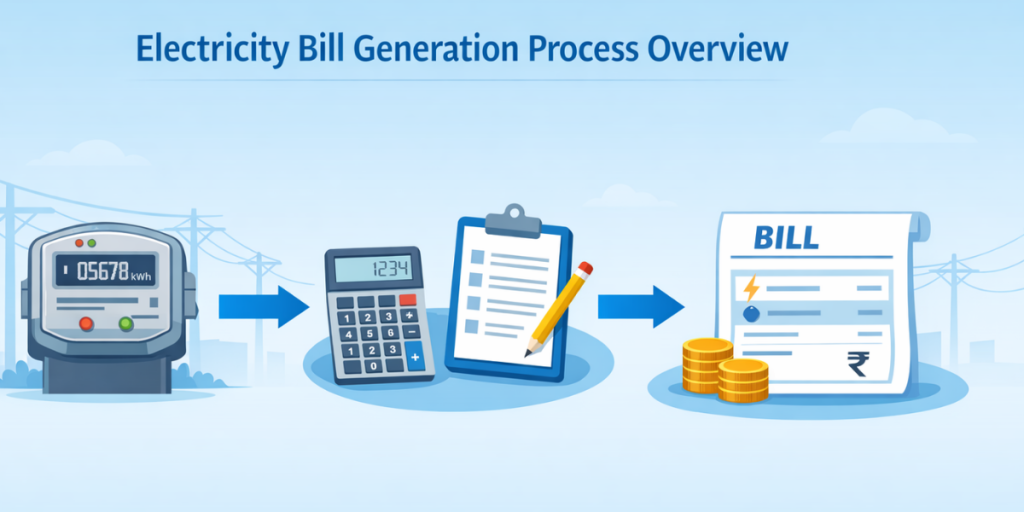
How Units Consumed Are Converted Into Cost
Your bill depends on the number of units consumed ( kilowatt hours) and the applicable tariff. Units are multiplied by the rate per unit to calculate your basic charge.
Understanding Tariffs for Residential, Commercial and Industrial Customers
FESCO has different tariffs for various consumers. Residential users often pay lower rates initial units while industries pay higher rates based on consumption. FESCO has different tariffs for residential, commercial, and industrial users. Check the latest unit rates here.
Hidden Fees, Taxes and Additional Charges
Apart from unit charges your bill may include:
- Fixed service charges
- Regulatory fees
- Provincial and federal taxes
Understanding these helps you avoid surprises on your monthly bills.
Bill Delivery Methods
Physical Paper Bills
printed paper bills are delivered to offices and homes. Make sure your address is correct to avoid missing bills.
system has four main components:
SMS and Email Notifications
FESCO offers SMS and email alerts with bill amounts and due dates. This is faster and reduces the risk of late payments.
FESCO Mobile App Alerts
The official FESCO app allows you to view and download and pay your bills on your smartphone.
Checking and Paying Your Bill Online
How to Check Your Bill via Official Portal
- Visit the official website
- Enter your 14-digit reference number
- View your current and previous bills.
Mobile App and Third-Party Options
You can also use the FESCO app or trusted apps like Udhaar book to check consumption and bills.
Payment Options: Bank Apps, Mobile Wallets, ATMs and Retail Outlets
- Bank apps: Pay via your bank’s online portal
- Mobile wallets: Easypaisa, JazzCash and U paisa
- ATMs or retail outlets: ideal for those without smartphones or internet access
If You Miss Your Due Date
Late payments may pay fine or lead to service interruptions. Please contact FESCO or your payment provider to clear your bill on time.
Tips to Manage Your Electricity Bill
Tracking Your Consumption via FESCO MIS
The FESCO MIS system helps you keep an eye on electricity use and prevent unexpected issues on your bill.
Tips
- Turn off electrical devices are not in use
- Choose energy-efficient appliances to reduce power consumption
Planning Your Monthly Usage
Regular monitor helps you stay within your budget and avoid unexpected charges at the end of the month.
Customer Support & Complaint Service
Contact Numbers, Emails and SMS Alert
- FESCO keeps helpline numbers,
- Emails and SMS options handy for fast assistance.
Reporting Outages and Emergencies
Use SMS service report outages and emergencies for faster resolution.
Resolving Billing Issues Efficiently
- using reference numbers
- track complaints and follow up with FESCO to ensure timely resolution.
FAQs
Conclusion
The FESCO billing system is clear and organized. Understanding it helps save money, you avoid mistakes, and use electricity carefully. You can check usage, pay bills on time and using tools like the FESCO app or MIS you can better manage your electricity expenses in 2026.


