
How To Pay Mepco Bill Online 2026
If you are a MEPCO user in Pakistan, you know how important it is to clear your bill on time. But sometimes, visiting the office or bank can be time consuming and stressful. That’s why pay MEPCO bill online is the fastest and simplest option for managing payments. With the help of our guide you can easily check your bill and see whether it is paid or not and pay it from anywhere in Pakistan right from your mobile phone. As MEPCO customer service Officer, I have seen how this simple method can save people time and stress.
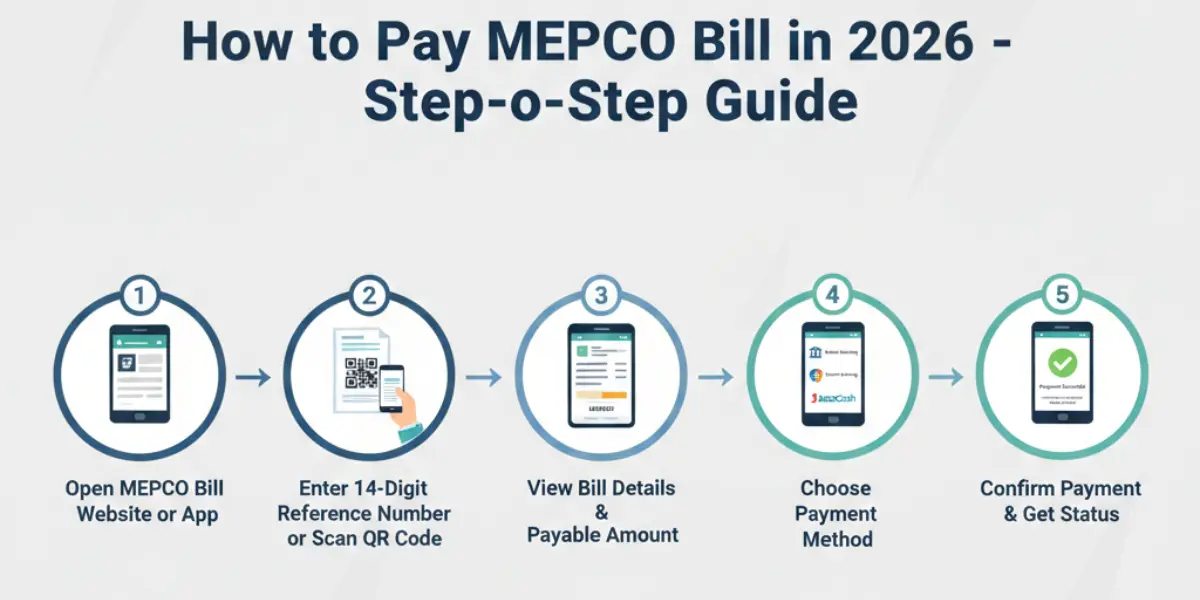
The online system is a very easy way to make sure you never miss the due date. Many people get confused about their bill status, extra charges and FPA charges. In using this way, you can safely and very easily clear your bills without any difficulty.
Chose Different Online Ways
MEPCO offers multiple online payment options to make your life easier:
- Mobile Wallets: Jazz Cash, Easy paisa, Daraz Wallet or Mobile Cash
- Internet / Mobile Banking: myABL, HBL, UBL, Meezan and other bank apps
- Credit / Debit Cards: Visa, Master card, Askari, and other registered cards
- Fin tech Apps: Naya Pay, Upaisa or other trusted apps
- UBO / Agent: Via UBL Omni agents or nearest authorized branches
Tip: Using mobile apps or internet banking is instant, secure and saves you time
How to Pay MEPCO bill Online using Mobile Apps
Bill payment through mobile apps is fast, convenient and safe. With just a few taps on your smartphone, you can view your bill history and complete the process instantly no need to visit a bank or MEPCO office. This guide will show you the simple steps:
Through Jazz Cash
first of all download the jazz cash app from play store/apple store.
- Open Jazz Cash App or dial *786# for USSD.
- Go to Utility Bills → select MEPCO.
- Enter your 14 digit reference number.
- Tap Pay Bill and confirm.
- Receive confirmation SMS and save it for tracking.
you can also scan QR code given on your bill at below right corner, this is the fast way to pay bill.
If you prefer a different app, like Easy paisa, Daraz wallent or Mobile cash then explore other payment methods here
Through HBL Mobile App
- Open the HBL Mobile App → Go to Utility Bills
- Select Electricity / Utility → Choose Provider ( MEPCO, LESCO, GEPCO or FESCO)
- Add Reference Number → Fetch & Verify Bill → Confirm and submit
Save Receipt
After completion, save or screenshot the confirmation receipt for your record
cilck on this page to learn about more banking apps like myABL, HBL, UBL, Meezan and other bank apps
Credit / Debit Cards
- Choose a Platform → MEPCO’s official website,
- Select “Electricity / MEPCO Bill → Enter Your Reference Number
- Bill Details Fetch → Select Method like Credit Card or Debit Card.
- Enter Card Details → Confirmation
If you want to see or learn about Visa, Master card, Askari, and other registered cards methods, you can visit this page.
Offline method
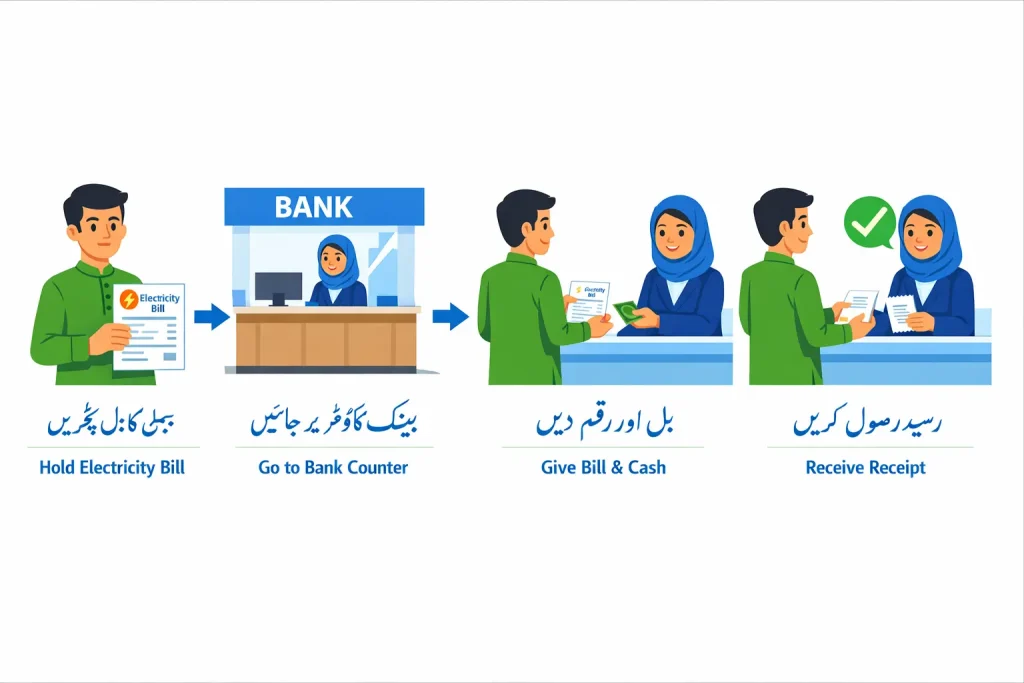
I have seen in this internet world that even though many people now pay their bills using online services, there are still many who prefer traditional methods. If you prefer to visit a center for your MEPCO bill in person, physical options are available across Pakistan. You can visit a Pakistan Post Office an authorised bank-branch or trusted utility bill shops to submit your bill. These locations are safe and trusted. Although this method may take some extra time due to queues, it is a good option for people who do not use smartphones or online banking and for areas where internet access is poor or limited.
Why You Should Use pay MEPCO Bill Online Service?
Pay MEPCO bill online service to handle your bill is safer, faster and more convenient than traditional methods. Here are some benefits.
- Instant: Pay your bill immediately without waiting in lines.
- Verification: with a single click, you can check if your bill is paid or unpaid
- Access Anywhere: Whether in Multan, Bahawalpur, Dera Ghazi Khan or any part of Pakistan you can clear from home.
- History Tracking: View your past bills and can download old bill whenever you need.
- Due Date: The due date is the last date in which you pay your bill without any extra charges otherwise, a fine will b applied for late submission.
- Electricity Disconnection: If the bill remains unpaid for a long time MEPCO may temporarily disconnect your electricity supply
(Very important info)
If the meter reader officer takes your meter because your bill is not cleared, you don’t need to chase them. You can immediately file a complaint against them with (118) or follow this guide to submit a complaint online or offline.
Electricity Utility Bill Fees in Pakistan (2026 Updated)
This online service is easy but when you pay MEPCO bill online, many users want to know how much fee is charged for each method. Below is a clear and updated fee schedule to help you choose the best option.
Electricity Service Fees Schedule (Per Bill)
| Method | Service Fee (PKR) | Details |
| Jazz Cash | Rs. 5 (tax included) | First utility bill in a month |
| Easypaisa | Rs. 5 – 10 | Small transaction fee may apply |
| Bank App / Internet Banking | Rs. 0 (Mostly Free) | Most banks charge no fee |
| Bank Branch | Rs. 0 – 50 | Depends on branch policy |
| Credit Card | 0% – 2% | Varies by bank & card type |
| UBL Omni / Agent | Rs. 10 – 20 | Agent service charges |
Pay Complaint & Help Support Table
If you face any problems with your bill, such as wrong charges or due issues after paying your MEPCO bill online then you can file a complaint in these ways.
| IssueType | How to Get Help | Contact Details | Important Note |
| Wrong meter reading | Register a complaint via helpline or office visit | 118 or nearest MEPCO Office | Meter check request may take a few days |
| Power outage | Report a power outage | 118 | Mention your area and feeder name |
| Low voltage issue | file voltage complaint | 118 | Mostly resolved within office working hours |
| Meter fault / burnt meter | Submit meter issue complaint | MEPCO service center | Meter physical verification may be required |
| Bill not updated | Verify status | 118 | Mostly resolved within a short time |
| New connection questions | Visit MEPCO Office | Local sub division Office | Processing time varies by area |
We have seen In the past, people had to visit offices again and again and run from place to place to file a complaint. Now, online complaint systems have made life much easier and faster for consumers.
Frequently Asked Questions
Final Words
Online payment is the most convenient way to manage your electricity charges. Whether you are in Multan, Bahawalpur or any city in Pakistan pay MEPCO bill online service ensures timely submission, accurate verification, and easy tracking. Using this online service like Jazz Cash, Easy paisa, credit cards or UBL Omni anyone can settle and check their bill from the comfort of home.
Don’t wait in long lines or worry about missing due dates. Start using this online method today and enjoy a hassle-free electricity digital experience.


